介绍
seafile支持与Office Online Server集成,来支持在线编辑和协同编辑的高级功能。
Office Online Server是一种 Office 服务器产品,它为 Office 文件提供基于浏览器的文件查看和编辑服务。服务器必须是 Windows Server 2012 R2 或 Windows Server 2016。(请注意,Windows Server 2016 需要 Office Online Server 2017 年 4 月或更高版本。)
微软要求安装Office Online Server 必须要有域控。并且Office Online Server不能安装到域控制器上。
安装seafile专业版
参照这里:
部署Office Online Server
官方文档:
https://docs.microsoft.com/en-us/officeonlineserver/deploy-office-online-server?redirectedfrom=MSDN
若环境下有域控添加到域控下即可,若无域控,需要创建域控并添加Office Online Server主机到域控
安装需要的服务和功能
Windows 2012R2:
Add-WindowsFeature Web-Server,Web-Mgmt-Tools,Web-Mgmt-Console,Web-WebServer,Web-Common-Http,Web-Default-Doc,Web-Static-Content,Web-Performance,Web-Stat-Compression,Web-Dyn-Compression,Web-Security,Web-Filtering,Web-Windows-Auth,Web-App-Dev,Web-Net-Ext45,Web-Asp-Net45,Web-ISAPI-Ext,Web-ISAPI-Filter,Web-Includes,InkandHandwritingServices,NET-Framework-Features,NET-Framework-Core,NET-HTTP-Activation,NET-Non-HTTP-Activ,NET-WCF-HTTP-Activation45,Windows-Identity-Foundation,Server-Media-Foundation如果安装失败,则要挂载安装系统镜像,并执行下面:
#先选择系统安装镜像,然后右击选择装载
#-Source E:\sources\sxs 这里要改成实际挂载的盘符。
Add-WindowsFeature Web-Server,Web-Mgmt-Tools,Web-Mgmt-Console,Web-WebServer,Web-Common-Http,Web-Default-Doc,Web-Static-Content,Web-Performance,Web-Stat-Compression,Web-Dyn-Compression,Web-Security,Web-Filtering,Web-Windows-Auth,Web-App-Dev,Web-Net-Ext45,Web-Asp-Net45,Web-ISAPI-Ext,Web-ISAPI-Filter,Web-Includes,InkandHandwritingServices,NET-Framework-Features,NET-Framework-Core,NET-HTTP-Activation,NET-Non-HTTP-Activ,NET-WCF-HTTP-Activation45,Windows-Identity-Foundation,Server-Media-Foundation  -Source E:\sources\sxs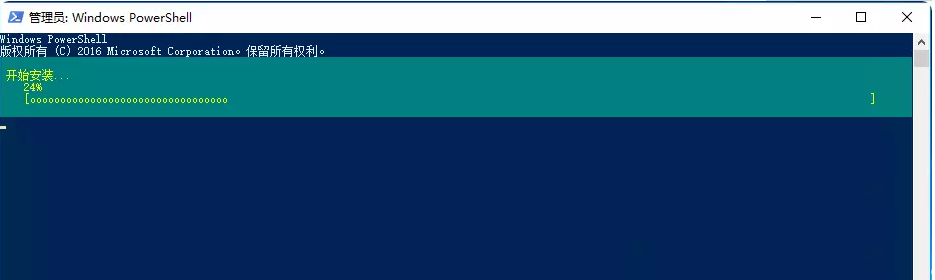
安装以下软件:
a).NET Framework 4.5.2
b)Visual C++ Redistributable Packages for Visual Studio 2013
c)Visual C++ Redistributable for Visual Studio 2015
d)Microsoft.IdentityModel.Extention.dll
有些组件如果提示已安装,跳过即可。
上述4个安装包已打包到百度云盘,下载依次安装即可。
链接:https://pan.baidu.com/s/1phRfbeuRZ3CDh8aJARfQaQ
提取码:gx04
安装 Office Online Server
复制下面的链接,下载最新版的Office Online Server,然后点击Setup.exe。
ed2k://|file|cn_office_online_server_last_updated_november_2017_x64_dvd_100181918.iso|770267136|0660AFCFE1AC9A62E749194874643E98|/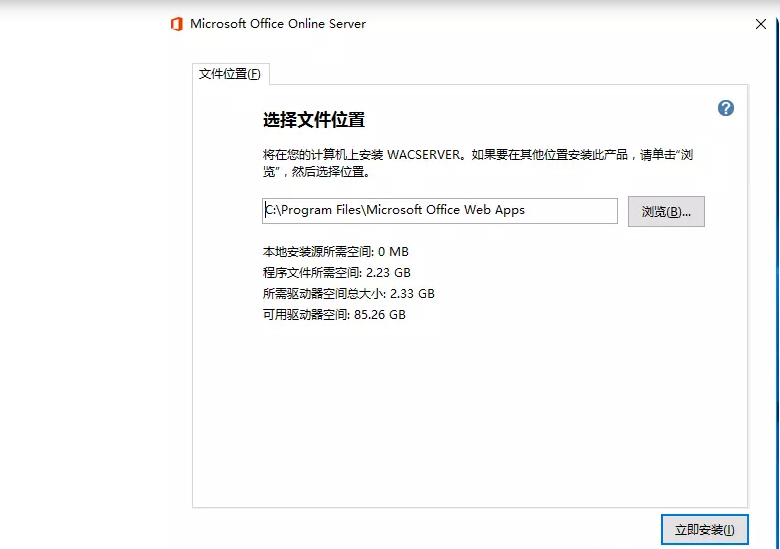
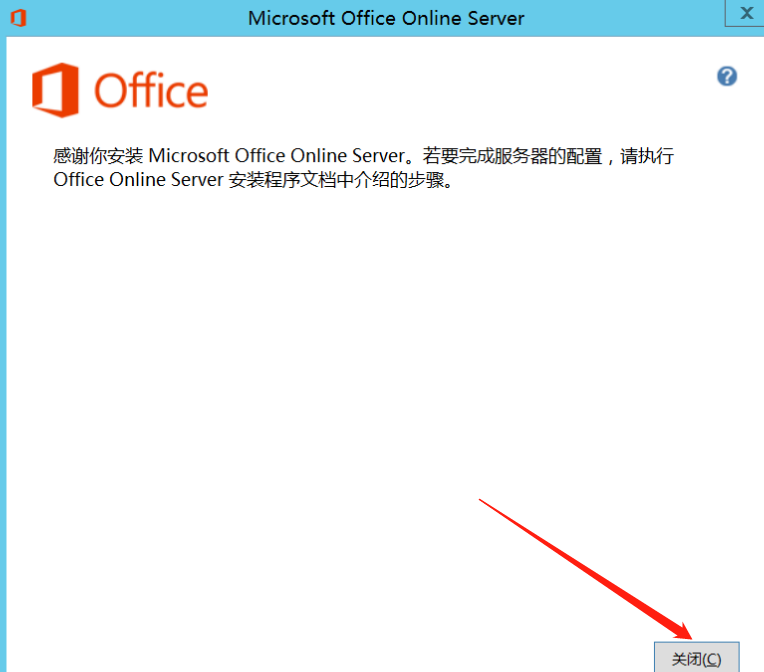
等待安装完成即可。
安装 Office Online Server 语言包
借助 Office Online Server 语言包,用户可以查看基于 Web 的 Office 多语言文件,无论是从 SharePoint 文档库打开,还是从 Outlook 网页版打开,都能查看。
点此下载Office Online Server 语言包,然后运行wacserverlanguagepack.exe 安装语言包
部署 Office Online Server 场-HTTPS
说明,https只能配置独立域名,并且使用443端口,且不能添加路径
如果使用的是家庭宽带,外网基本无法实现了,只能在内网使用。
安装证书文件:
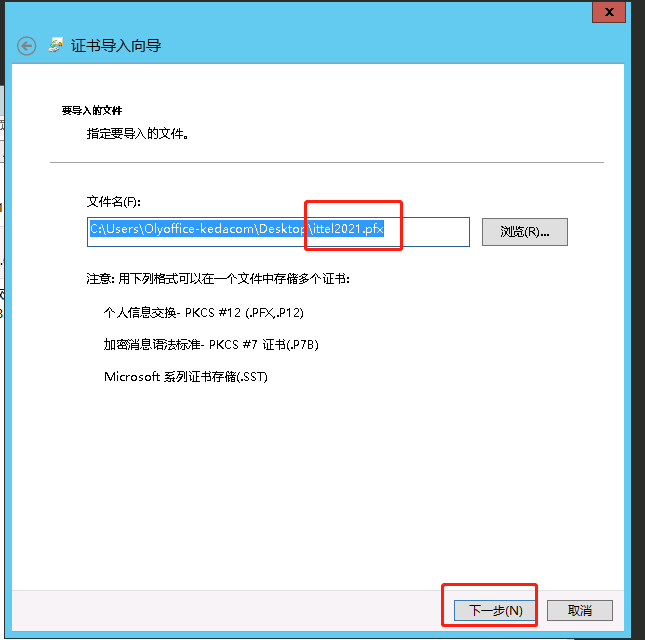
下载pfx格式的ca证书文件(阿里云上下载IIS证书),点击导入。
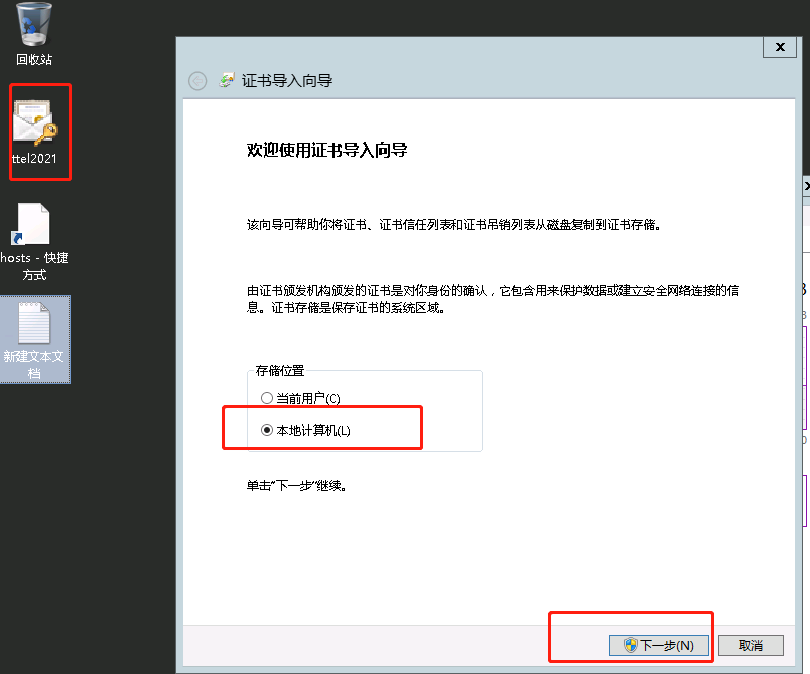
点击下一步
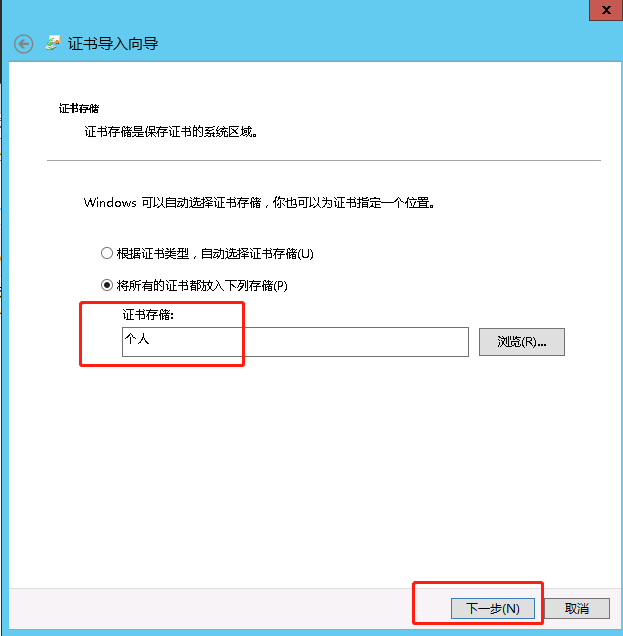
选择存放位置
完成导入

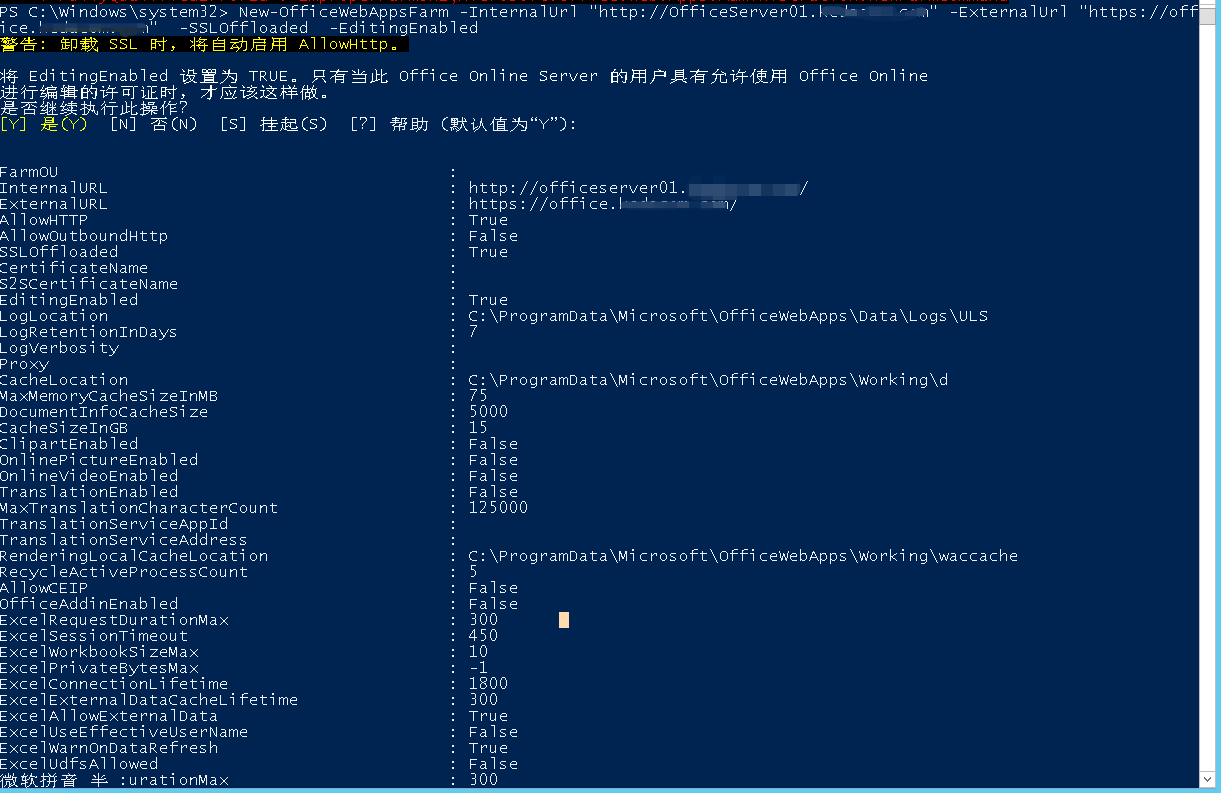
打开Windows PowerShell并执行:
#根据实际情况修改
New-OfficeWebAppsFarm -InternalUrl "http://OfficeServer01.ittel.cn" -ExternalUrl "https://office.ittel.cn" -CertificateName "ittel2021" -EditingEnabled -SSLOffloaded
参数说明:
-InternalURL 是运行 Office Online Server 服务器完全限定的域名 (FQDN),即主机名+域名
-ExternalURL 是可以在 Internet 上访问的 FQDN。
-CertificateName 是证书的友好名称。
-SSLOffloaded 关闭ssl,把ssl加解密交给负载均衡器nginx
-EditingEnabled 在 Office Online 中启用编辑。
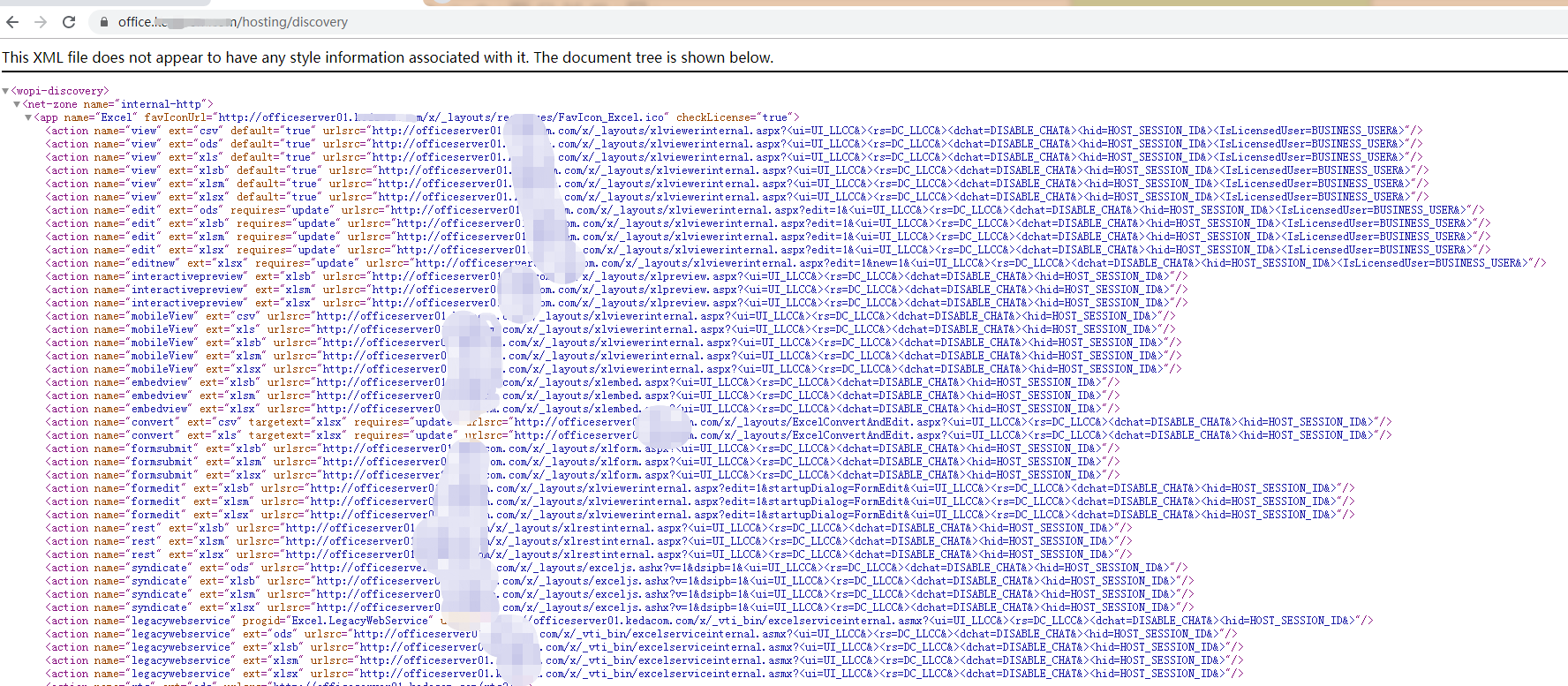
浏览器中打开 https://office.ittel.cn/hosting/discovery
显示如下信息
seafile集成office online server 功能
请添加以下配置项到 seahub_settings.py 中。
# Enable Office Online Server
ENABLE_OFFICE_WEB_APP = True

# Url of Office Online Server's discovery page
# The discovery page tells Seafile how to interact with Office Online Server when view file online
# You should change `http://example.office-web-app.com` to your actual Office Online Server server address
OFFICE_WEB_APP_BASE_URL = 'https://office.ittel.cn/hosting/discovery'

# Expiration of WOPI access token
# WOPI access token is a string used by Seafile to determine the file's
# identity and permissions when use Office Online Server view it online
# And for security reason, this token should expire after a set time period
WOPI_ACCESS_TOKEN_EXPIRATION = 60 * 60 * 24 # seconds

# List of file formats that you want to view through Office Online Server
# You can change this value according to your preferences
# And of course you should make sure your Office Online Server supports to preview
# the files with the specified extensions
OFFICE_WEB_APP_FILE_EXTENSION = ('ods', 'xls', 'xlsb', 'xlsm', 'xlsx','ppsx', 'ppt', 'pptm', 'pptx', 'doc', 'docm', 'docx')

# Enable edit files through Office Online Server
#
ENABLE_OFFICE_WEB_APP_EDIT = True

# types of files should be editable through Office Online Server
# Note, Office Online Server 2016 is needed for editing docx
OFFICE_WEB_APP_EDIT_FILE_EXTENSION = ('xlsx', 'pptx', 'docx')
然后重启seafile 和 seabub服务
测试在线编辑功能
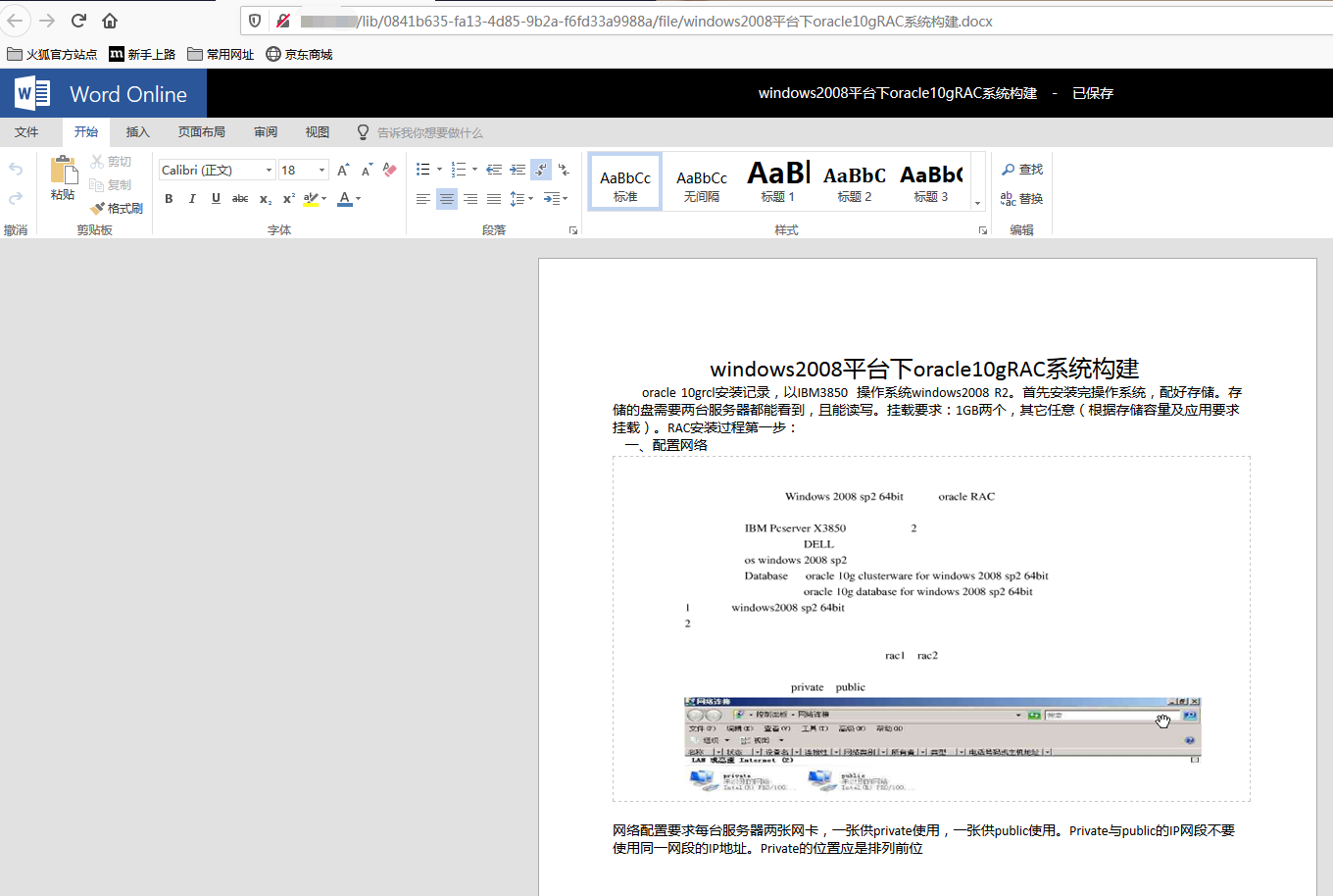
word文档
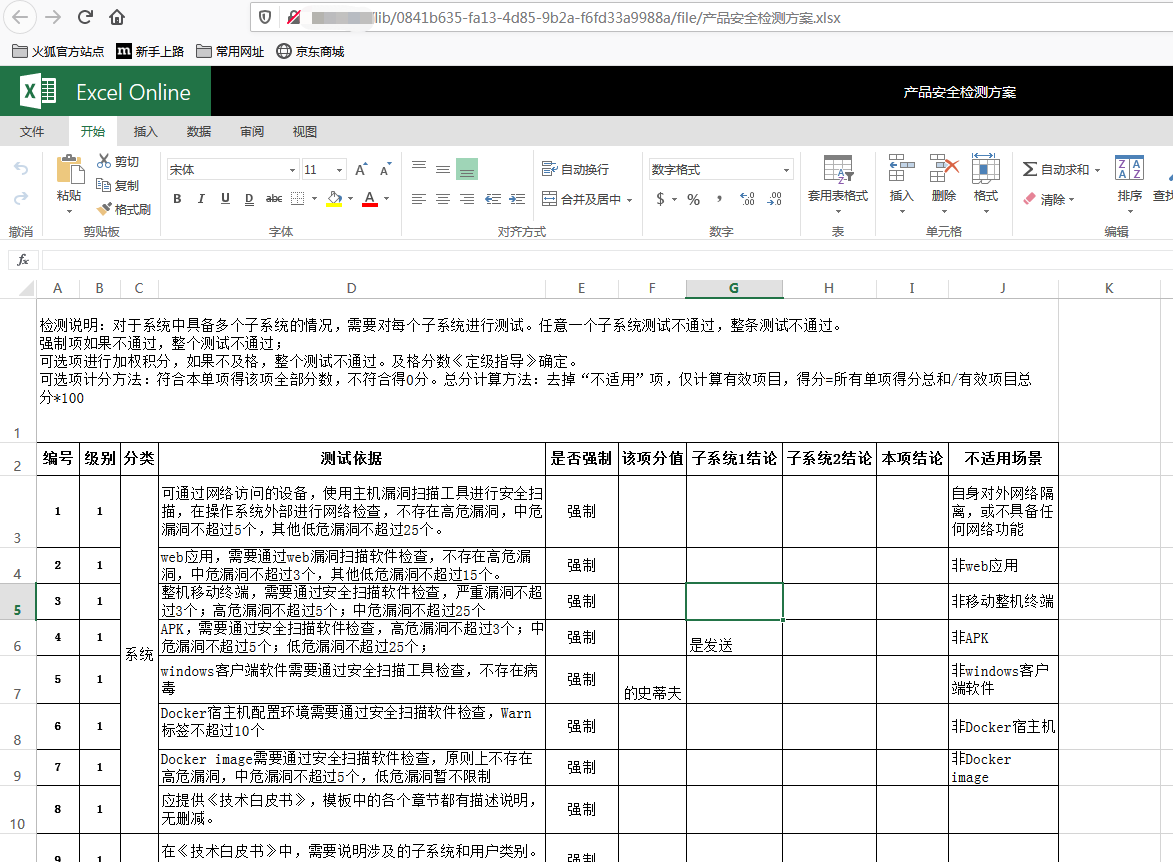
excel表格
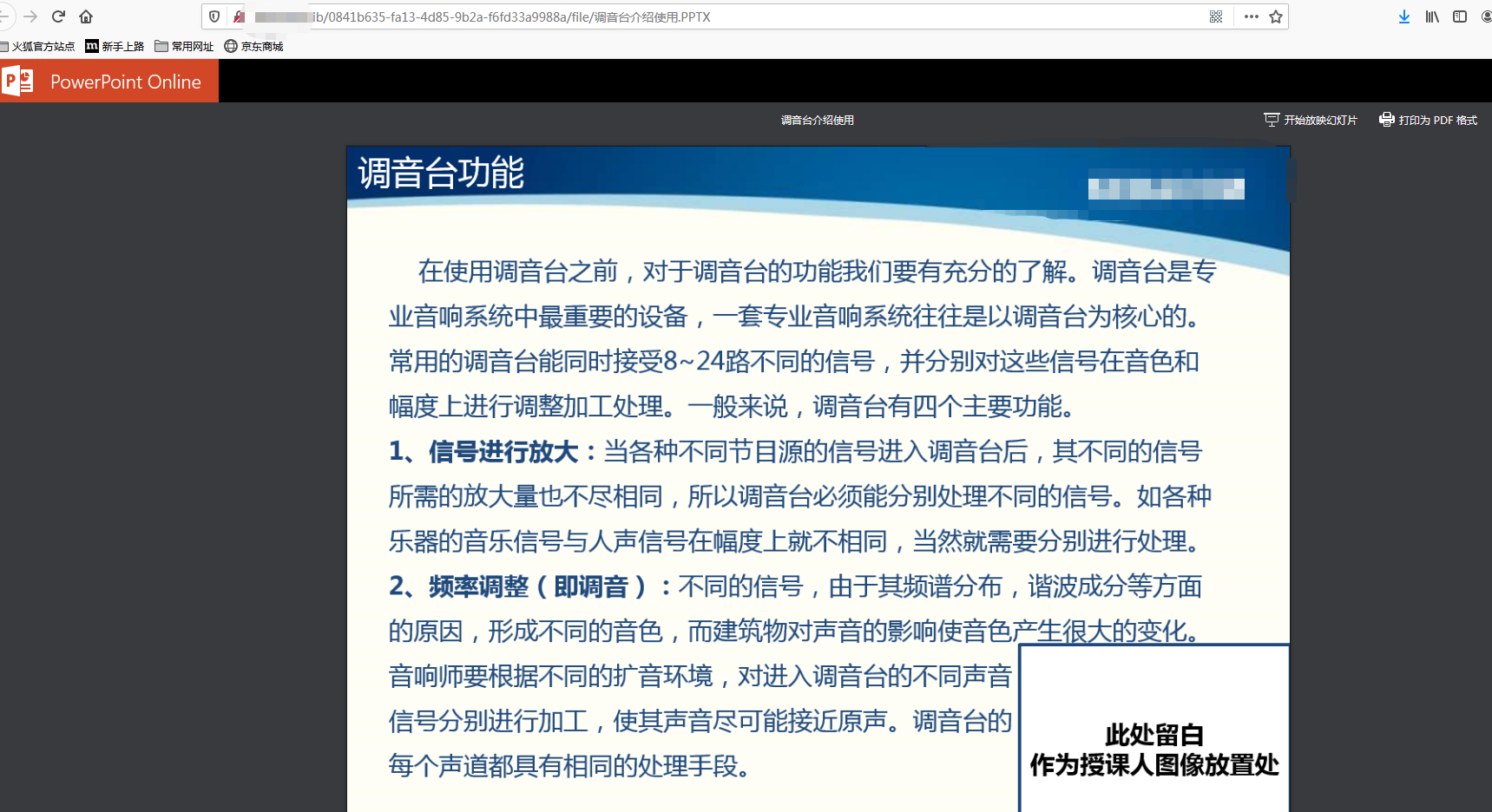
PPT预览(PPT这边我只需要预览,所以没有开启在线编辑)
 微信扫一扫打赏
 支付宝扫一扫打赏




请问office online server 预览和编辑 收费么
online office是微软的,可以白嫖
Office Online Server 的将修改后的文件自动保存到seafile网盘的时间在哪里修改啊
外网没有80端口这个有解嘛?
用onlyoffice
搭建onlyoffice实现 Office文件在线编辑
不行了 啊老哥,加载不出
你在内网使用还是外网,外网要备案。内网的话,看你用不用ssl证书,要用证书的话就要用域名,然后申请免费的证书。
现在用的是onlyoffice,感觉使用体验不够好,字体显示,文字格式这些都很奇怪。
office online的使用效果会比onlyoffice要好吗?
office online 加载比较快,基本秒加载。onlyoffice唯一缺点就是加载慢一点。